📸

Feature Screenshots

Explore Claude Owl's intuitive interface through visual walkthroughs

All features shown are available on macOS (Intel & Apple Silicon). Windows and Linux support coming soon.

🏠 Dashboard

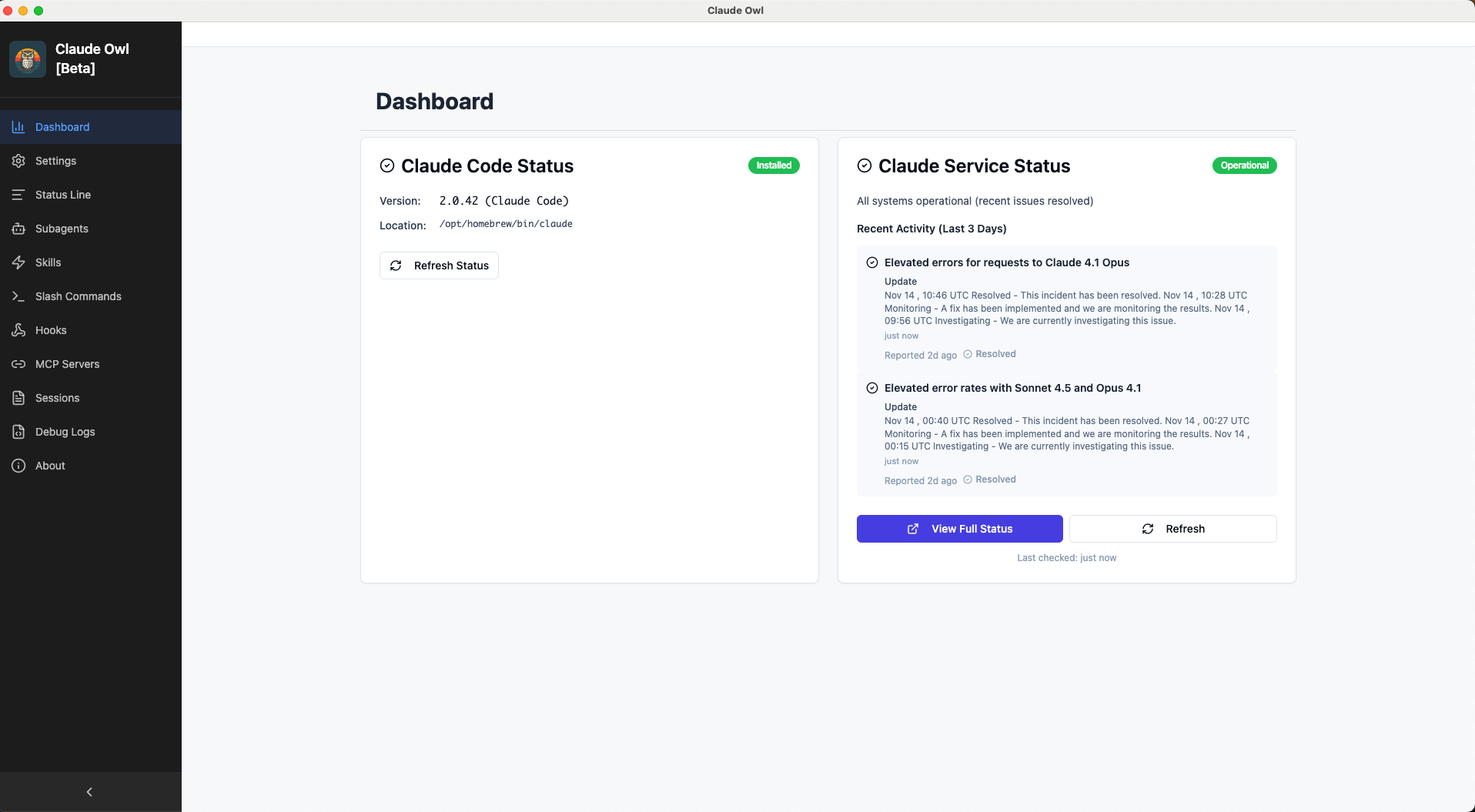
Claude Code installation status and API monitoring at a glance

Claude Code Installation Status & API Monitoring

Claude Owl Dashboard

Real-time detection of installed version, path, API service status monitor with incident tracking, and quick access to installation guides.

⚙️ Settings Management

Manage user and project-level settings with visual editors

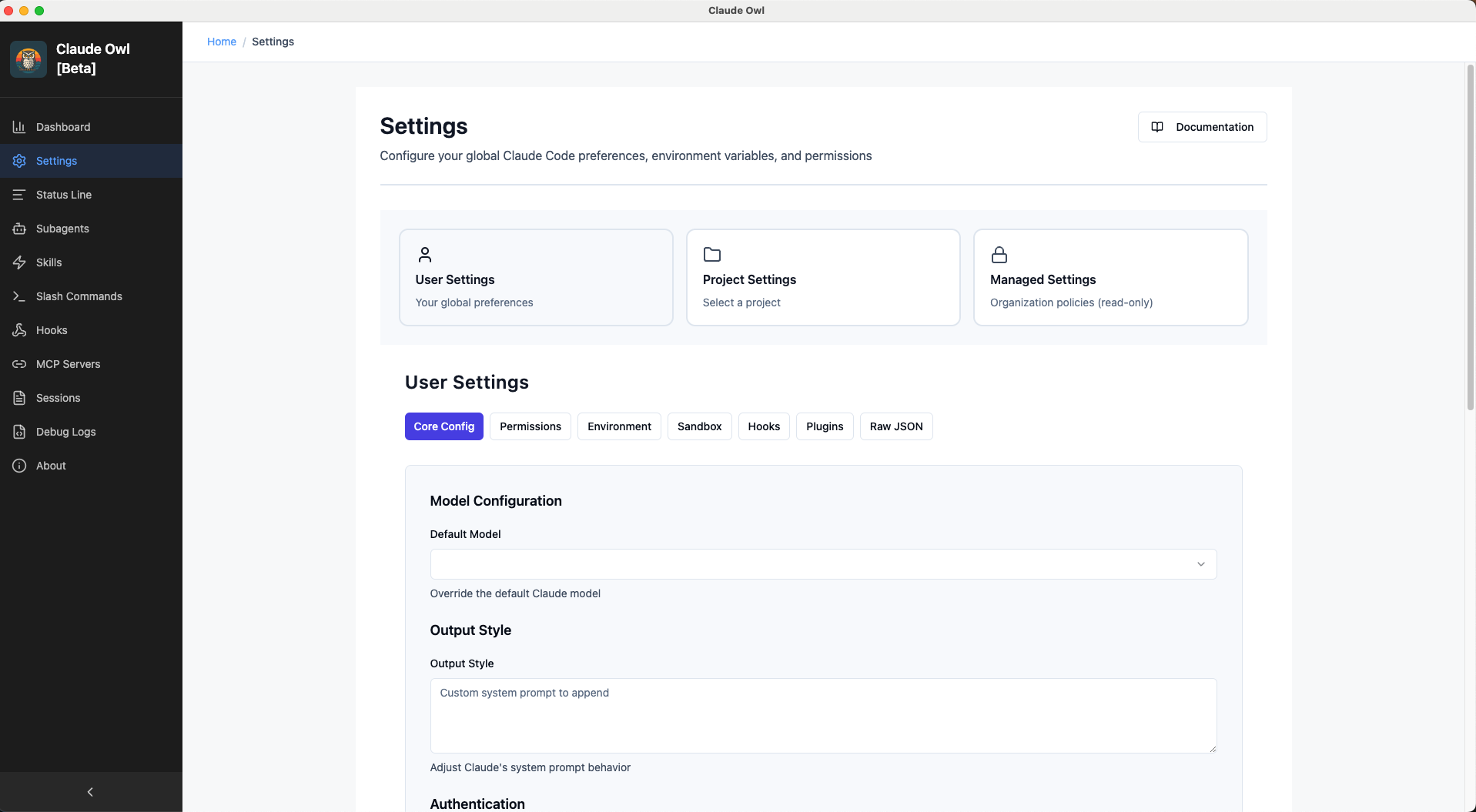
User-Level Settings

Settings - User Level

Configure global Claude Code preferences: default model selection, environment variables, and core settings.

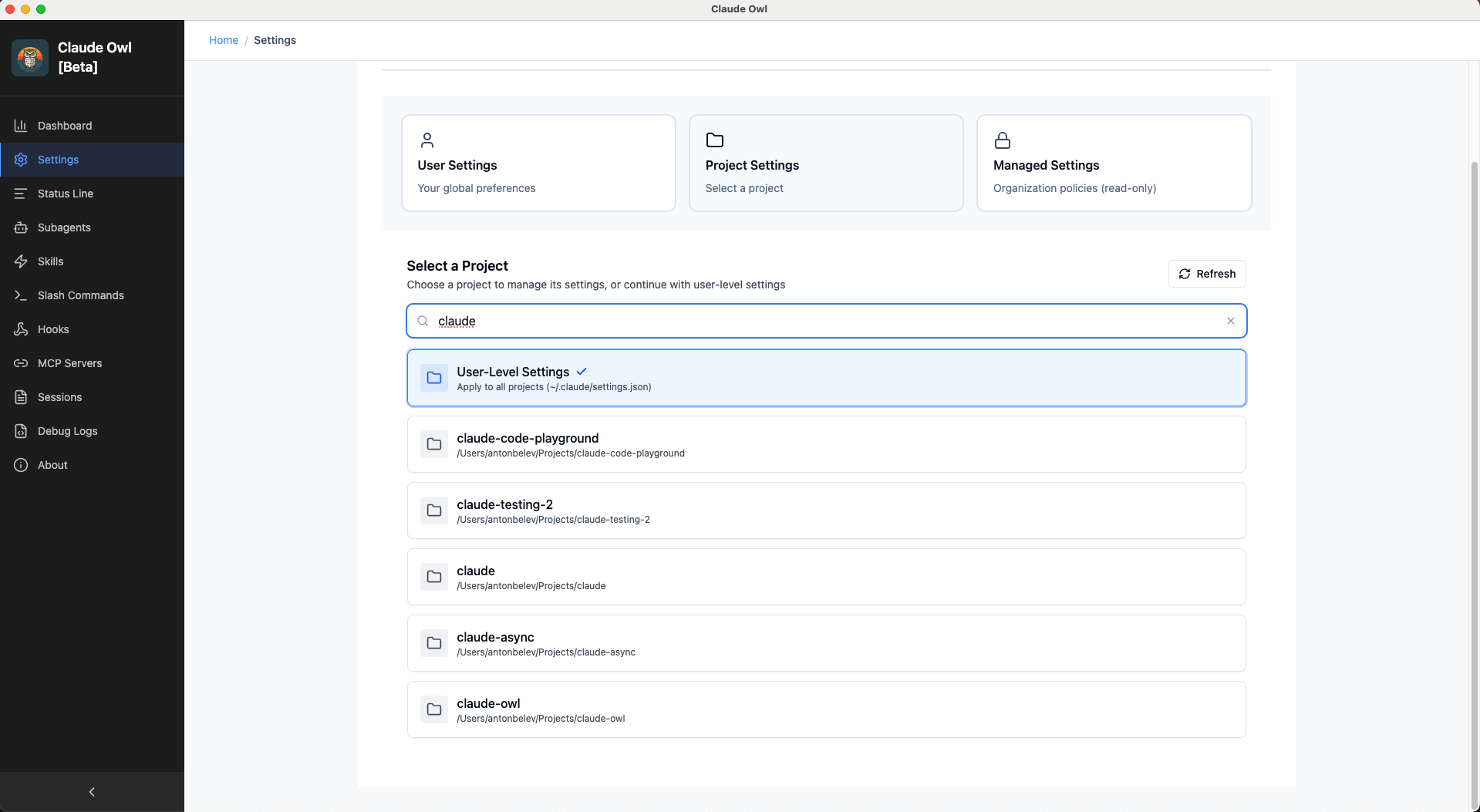
Project-Level Settings

Settings - Project Level

Project-specific configuration overrides with search, filter, and local overrides support.

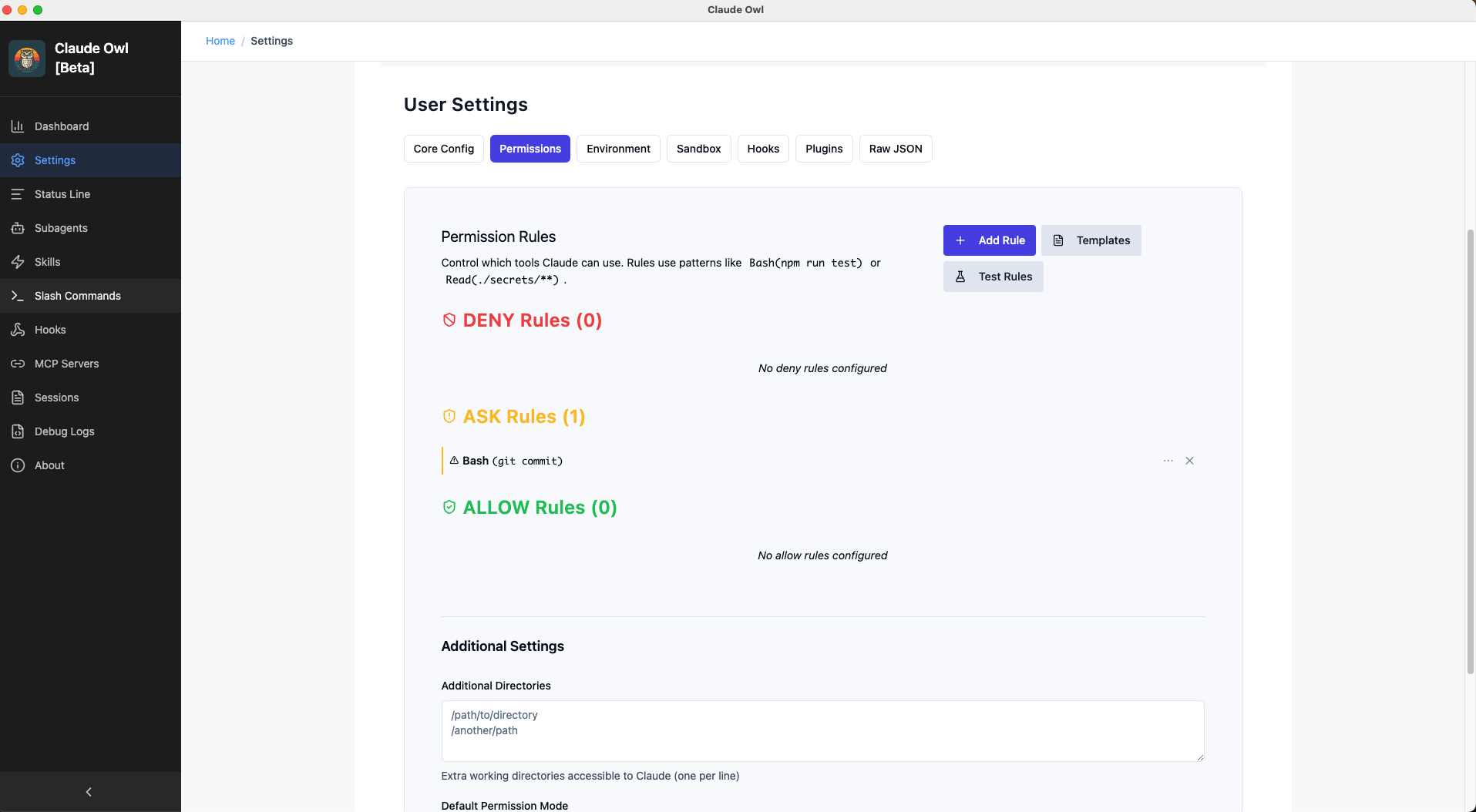
Advanced Permissions Editor

Settings - Permissions

Visual permission rule builder with grid view, color-coding by permission level, and search capabilities.

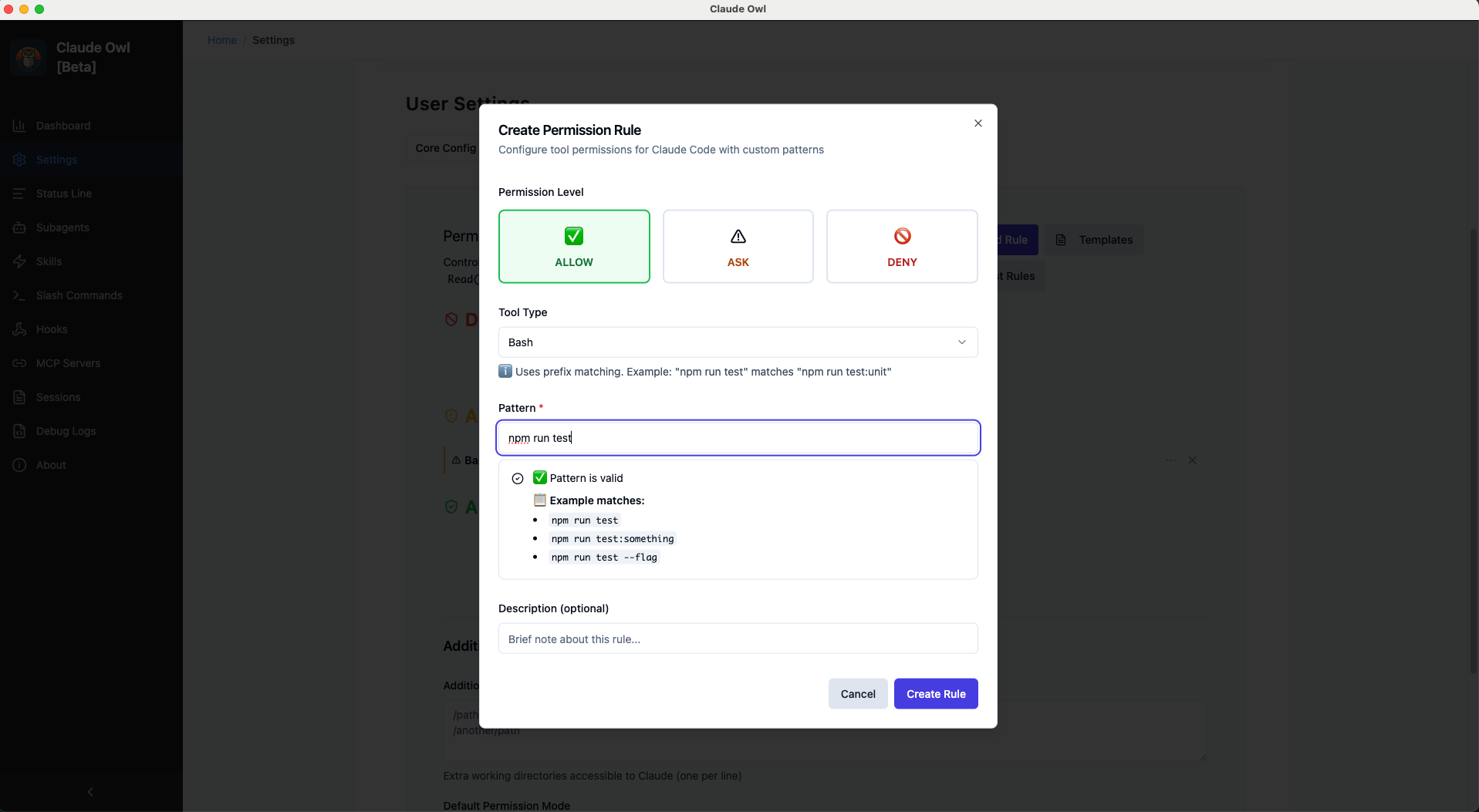
Create Permission Rule

Settings - Create Permission Rule

Step-by-step form with pattern matching, live validation, and example preview.

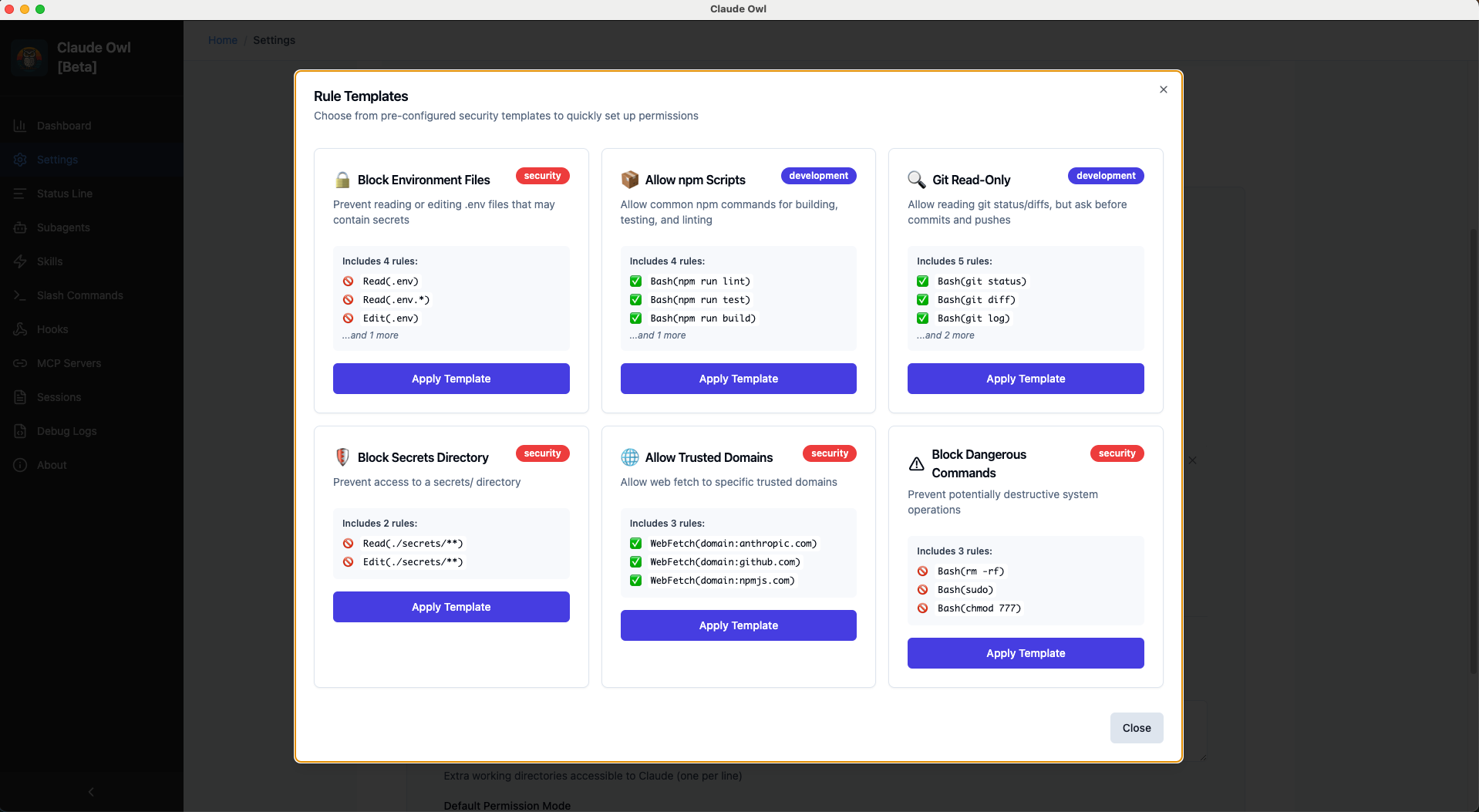
Pre-built Templates

Settings - Templates

6 security templates for common use cases: env protection, npm scripts, git read-only, and more.

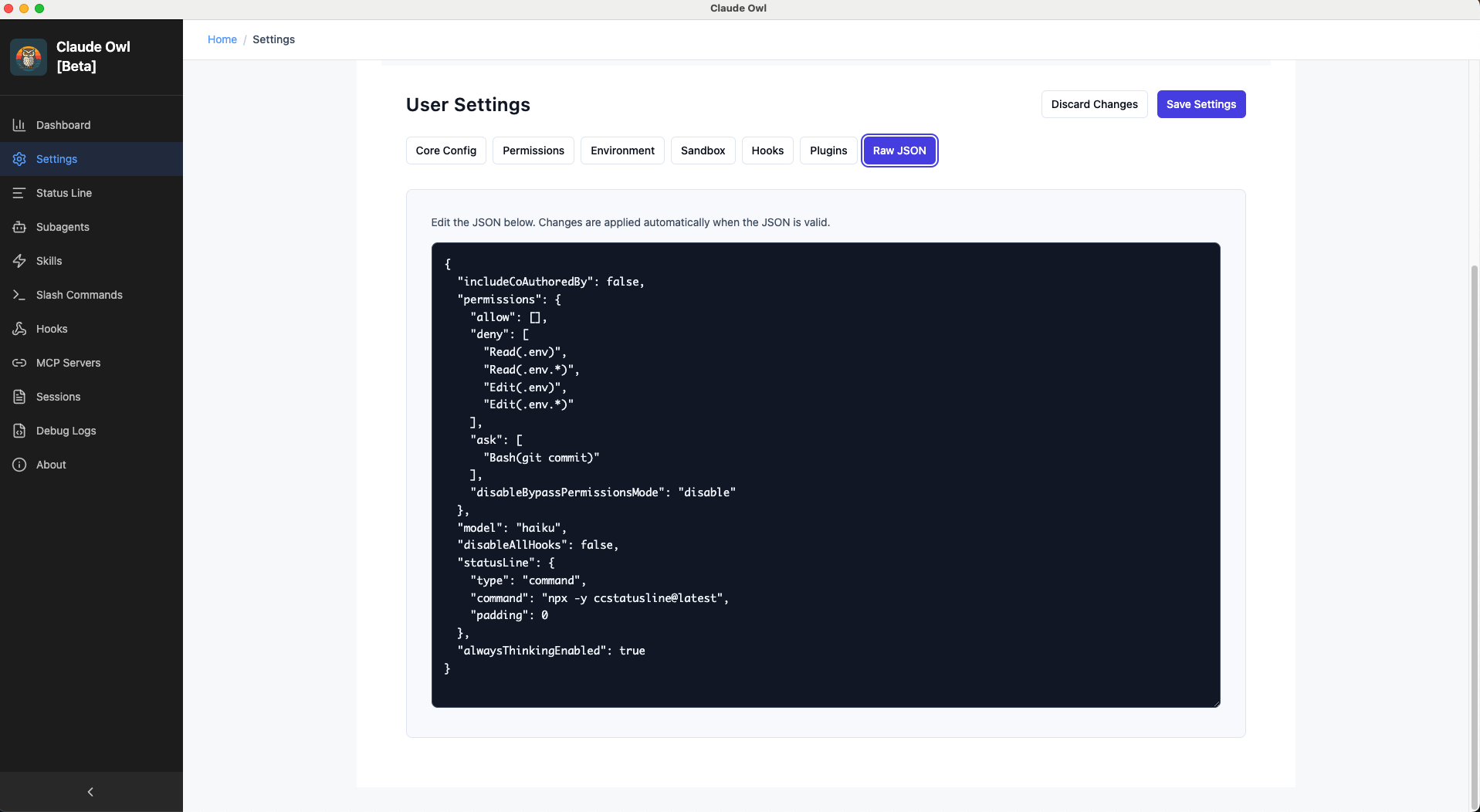
Raw JSON Editor

Settings - Raw JSON

Advanced configuration for power users with read-only view and manual editing capability.

🤖 Subagents Manager

Create and manage custom Claude Code agents

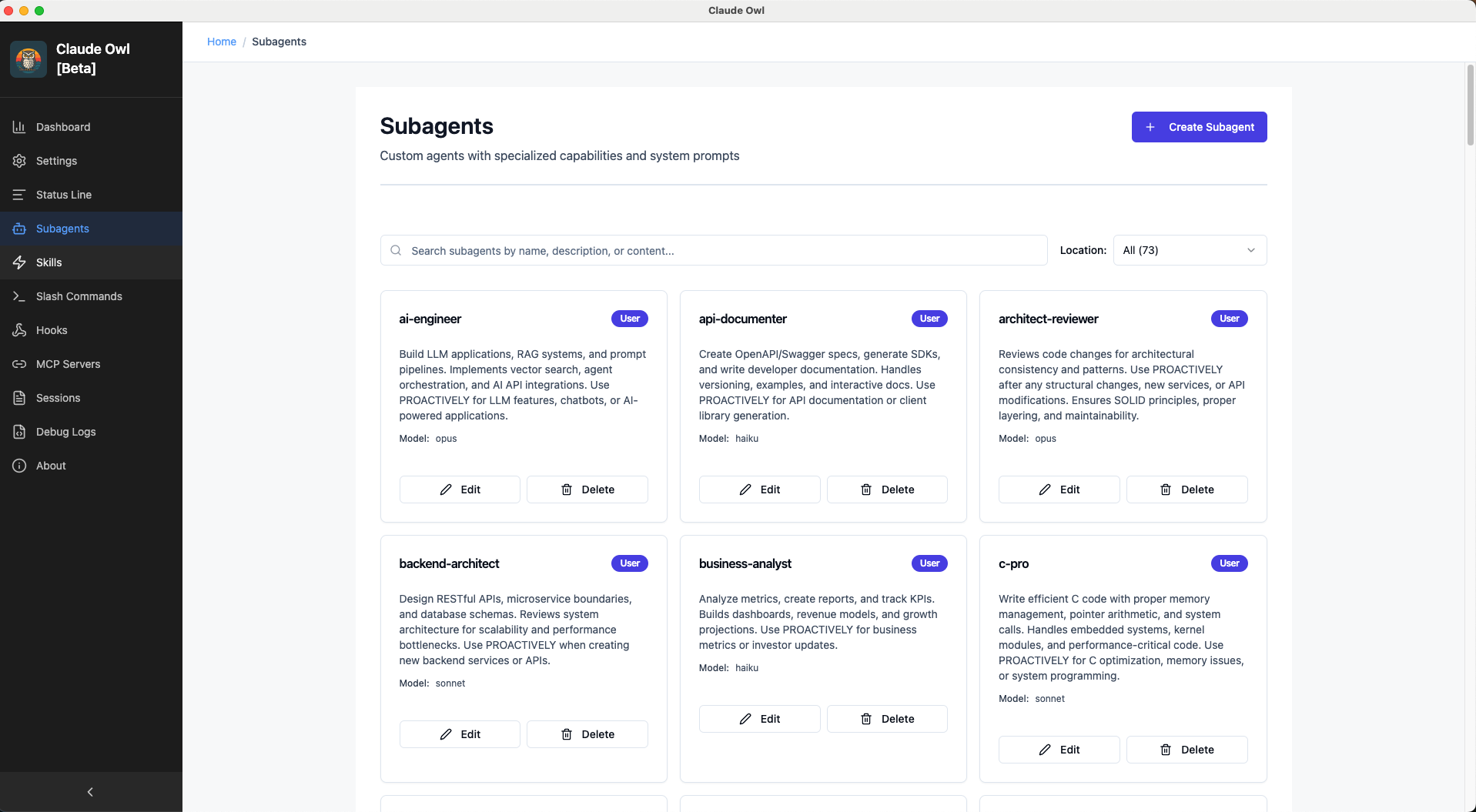
Subagents Grid View

Subagents Grid

Browse all custom agents with tool count indicators, location badges, and last modified timestamps.

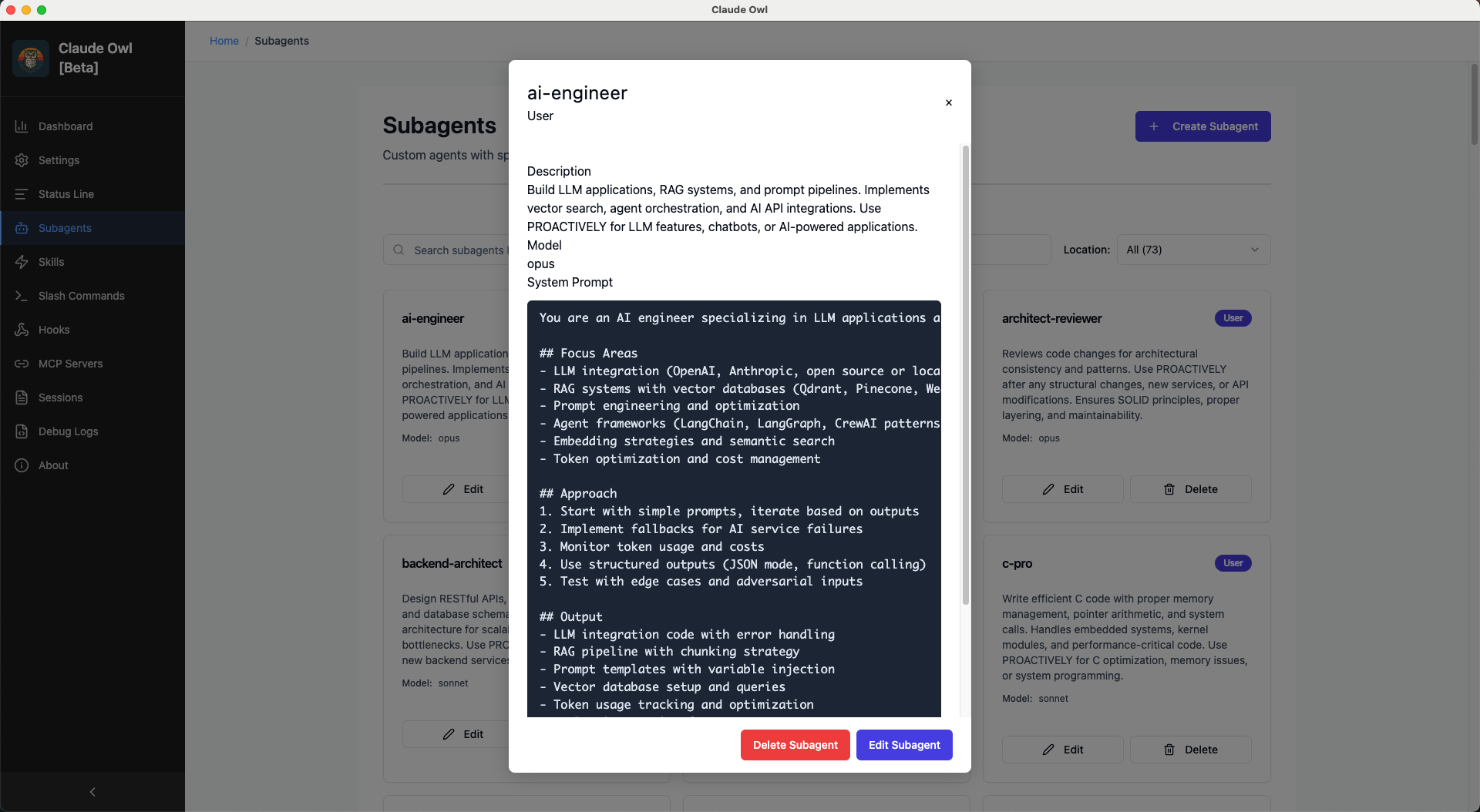
Agent Details

Subagent Details

Full agent information with markdown rendering, tool list, and metadata.

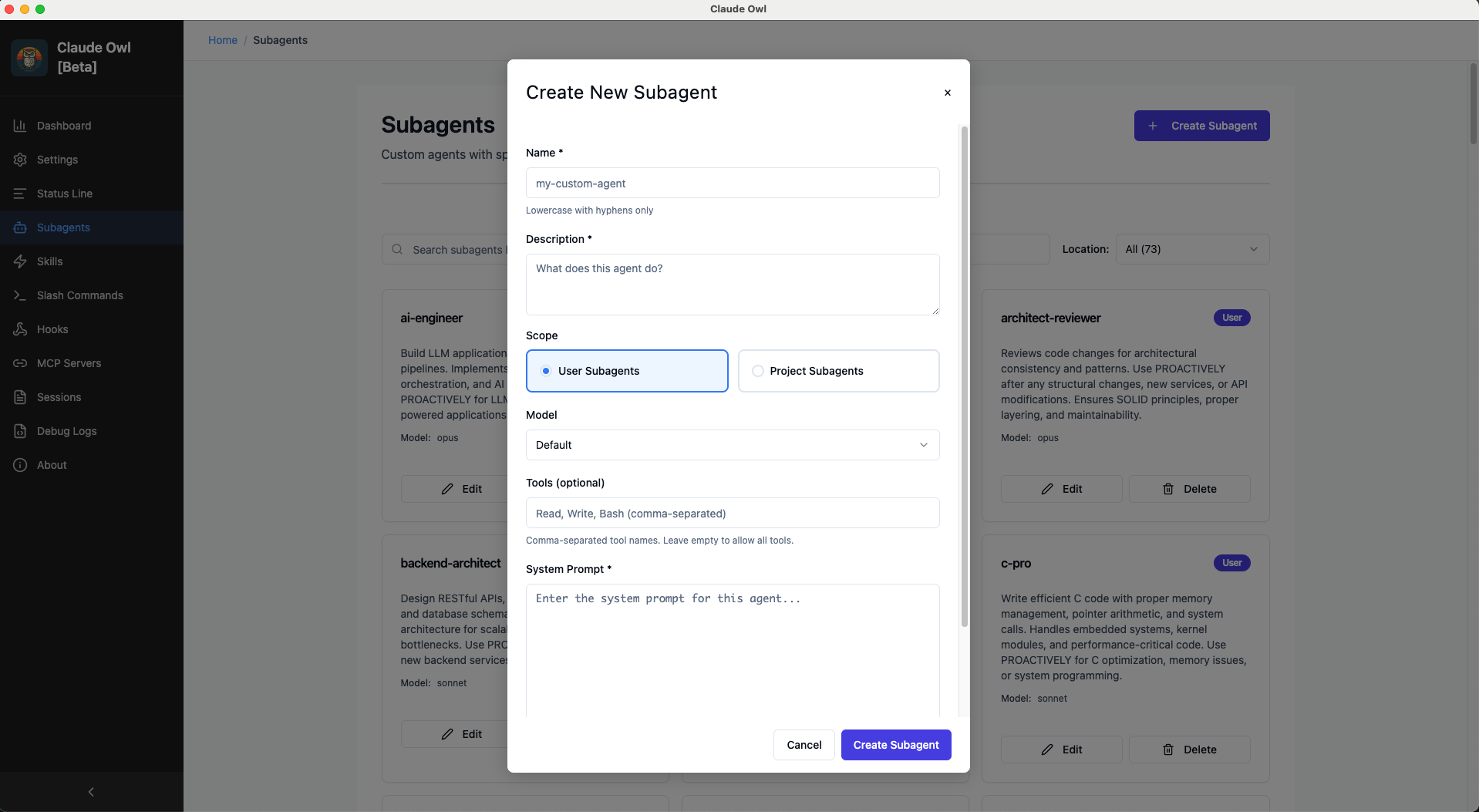
Create Subagent

Create Subagent

Visual form with name validation, model selection, tool restrictions, and unsaved changes protection.

🎯 Skills Manager

Manage Claude Code skills with frontmatter support

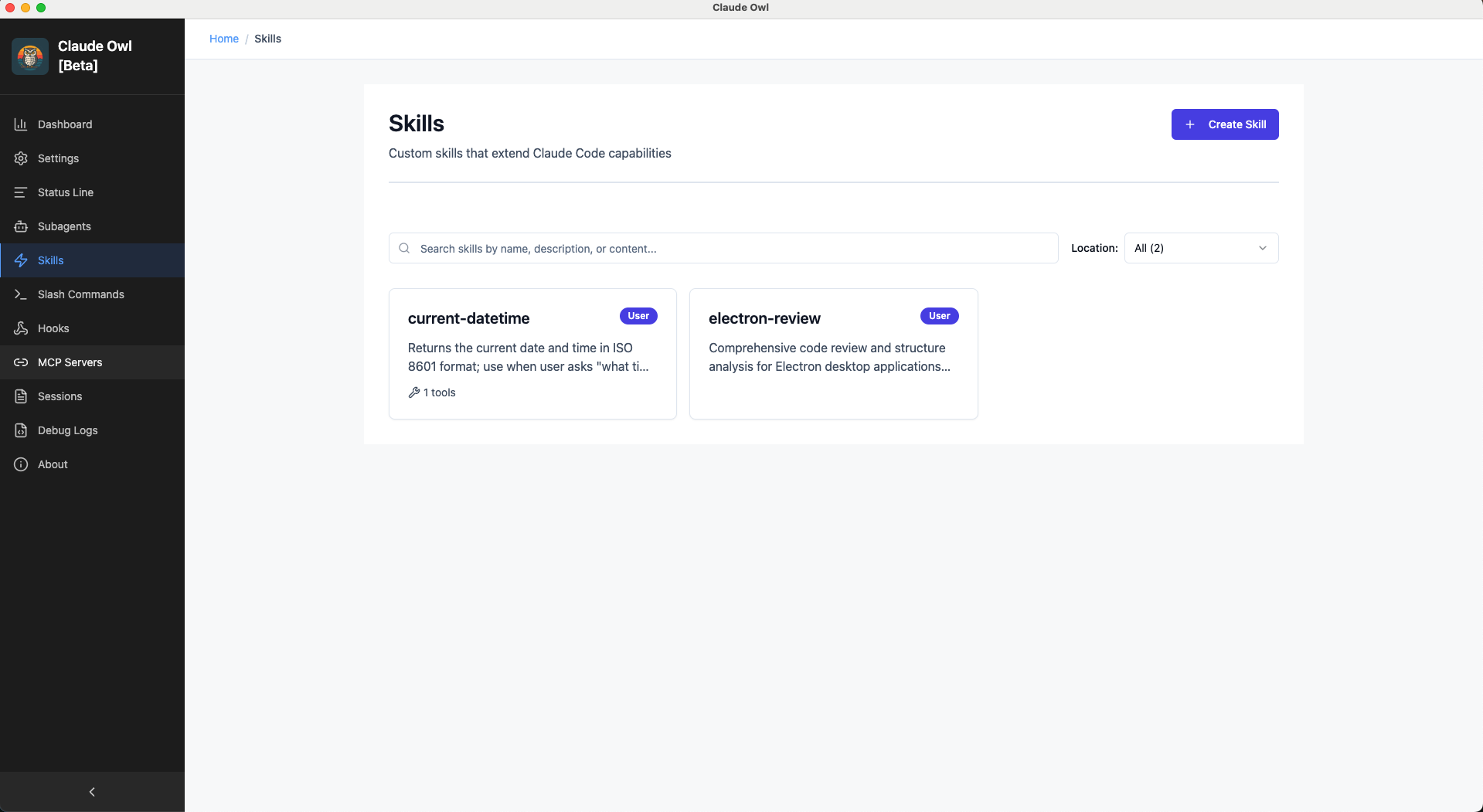
Skills Grid View

Skills Grid

Browse available skills with supporting files count, allowed tools indicators, and location badges.

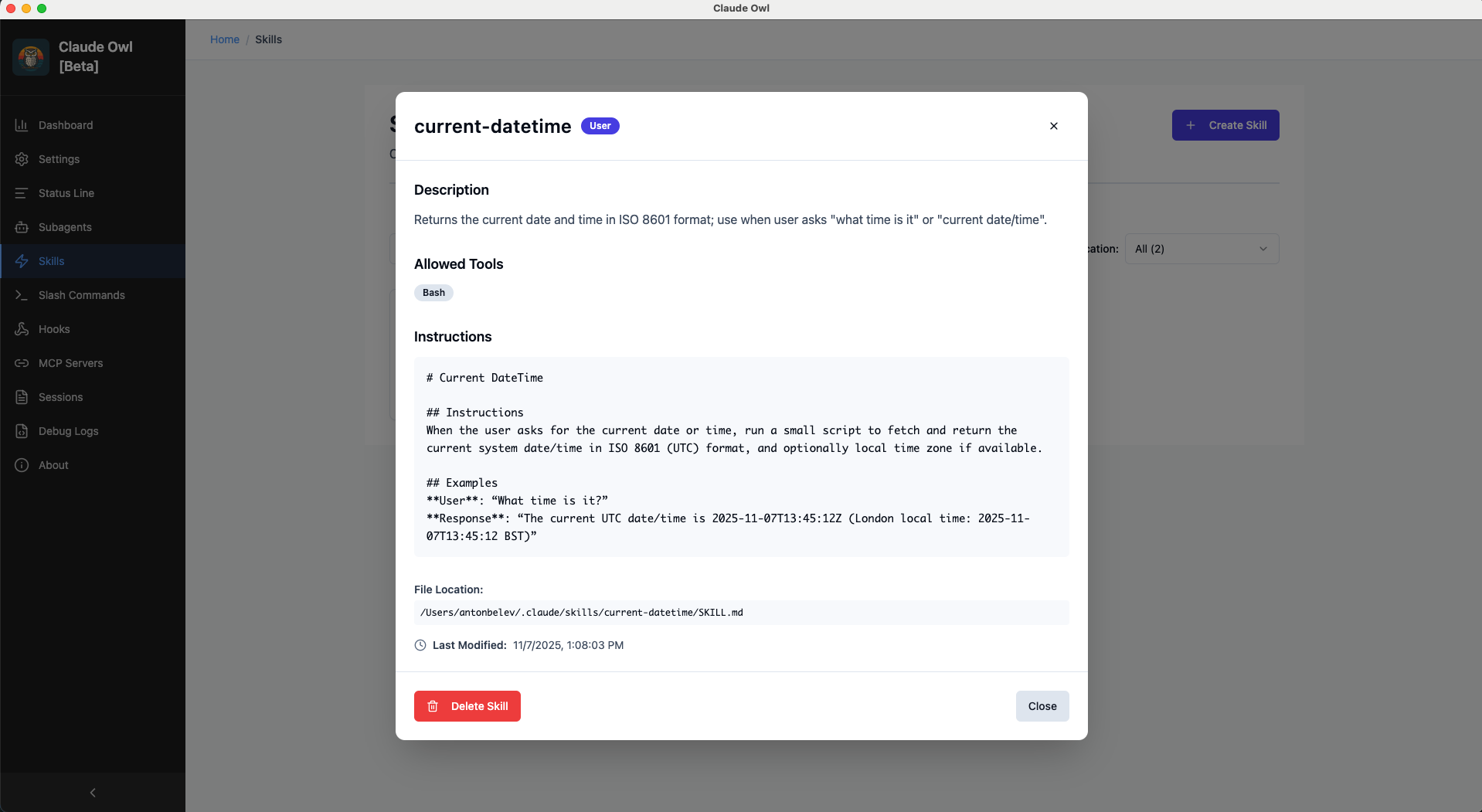
Skill Details

Skill Details

Complete skill information with markdown rendering, tools list, and supporting files.

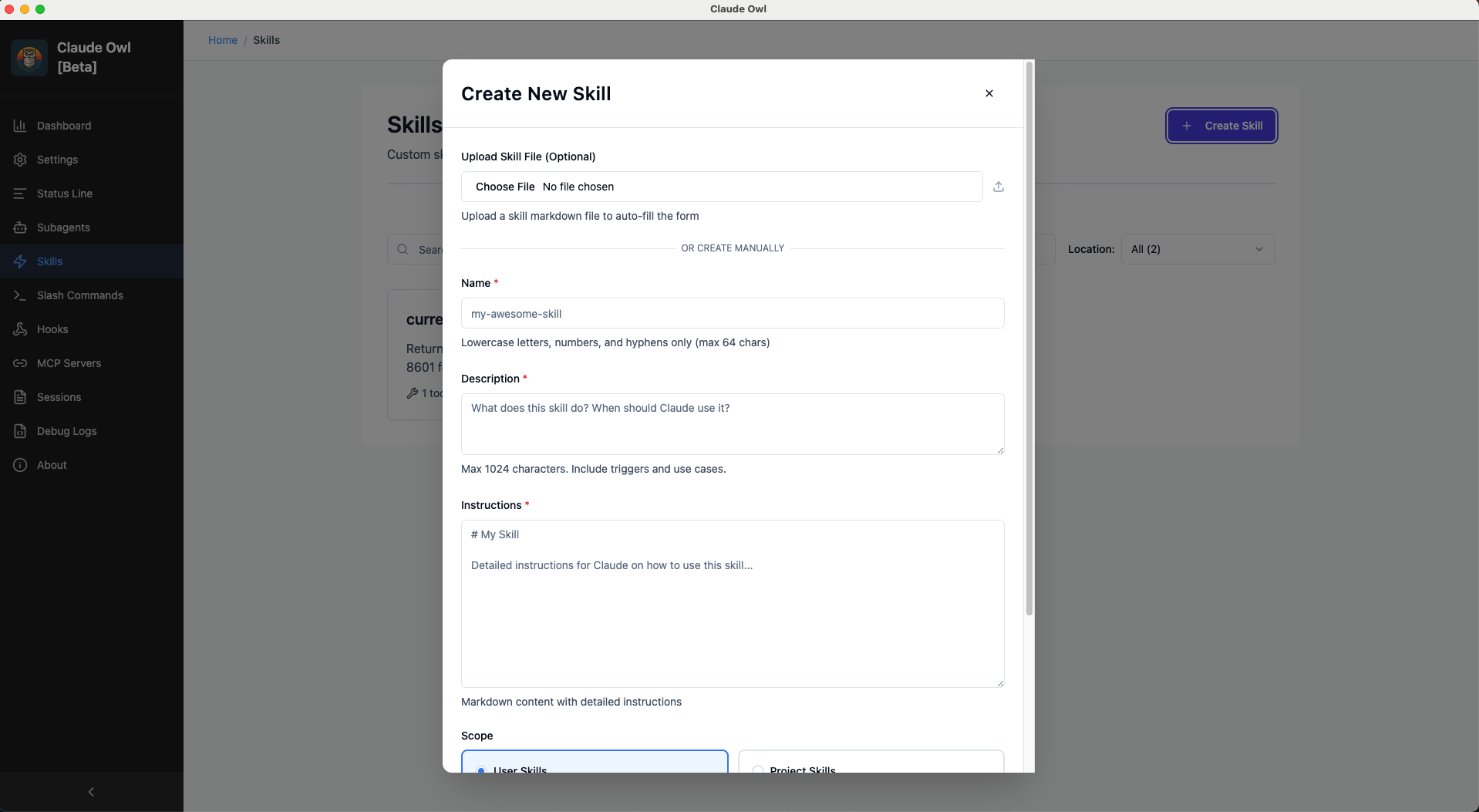
Create Skill

Create Skill

Upload markdown or create from scratch with frontmatter validation and character limits.

Slash Commands Manager

Create custom slash commands and import from GitHub

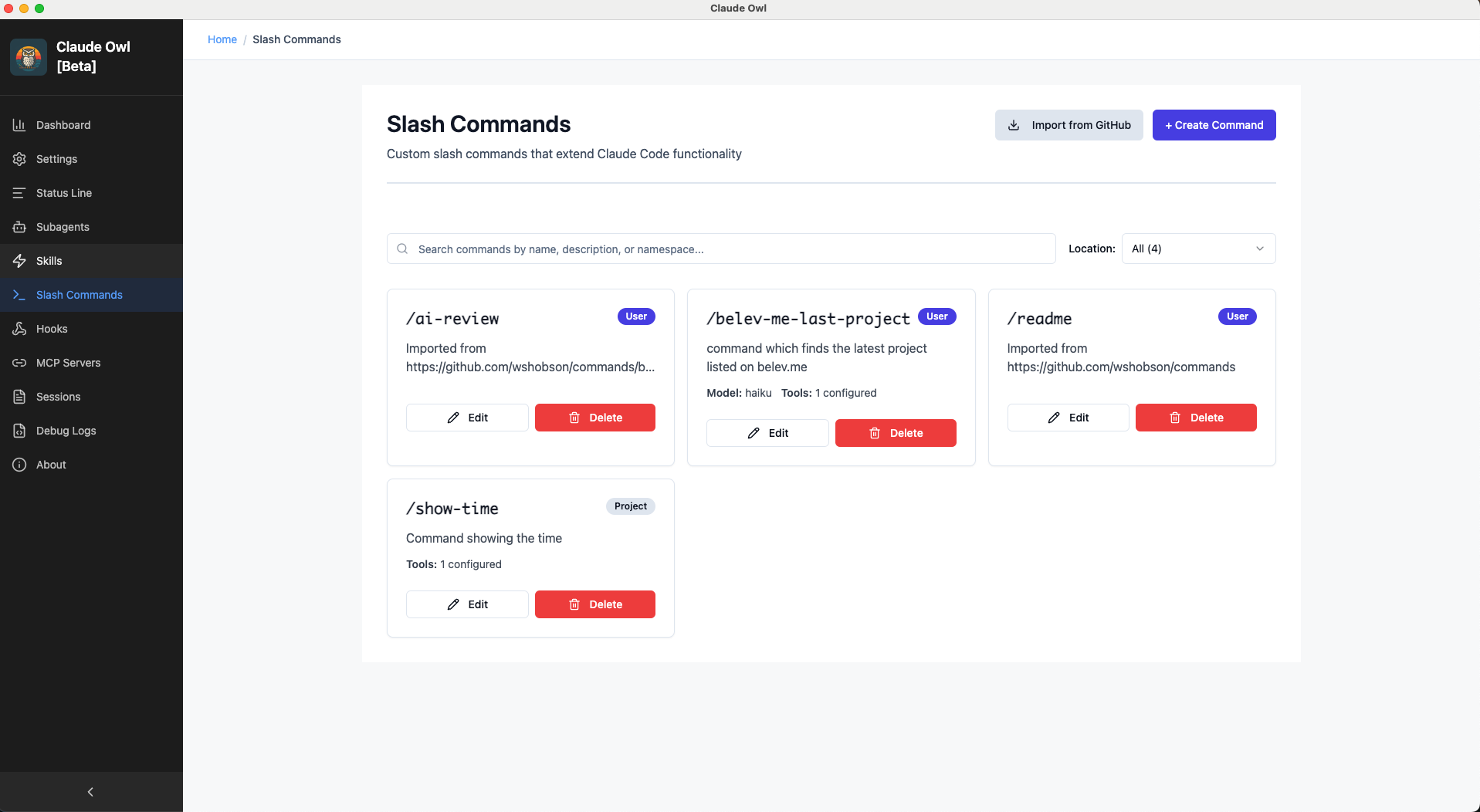
Commands Grid View

Slash Commands

Browse all slash commands with namespace grouping, model and tool count badges, and source tracking.

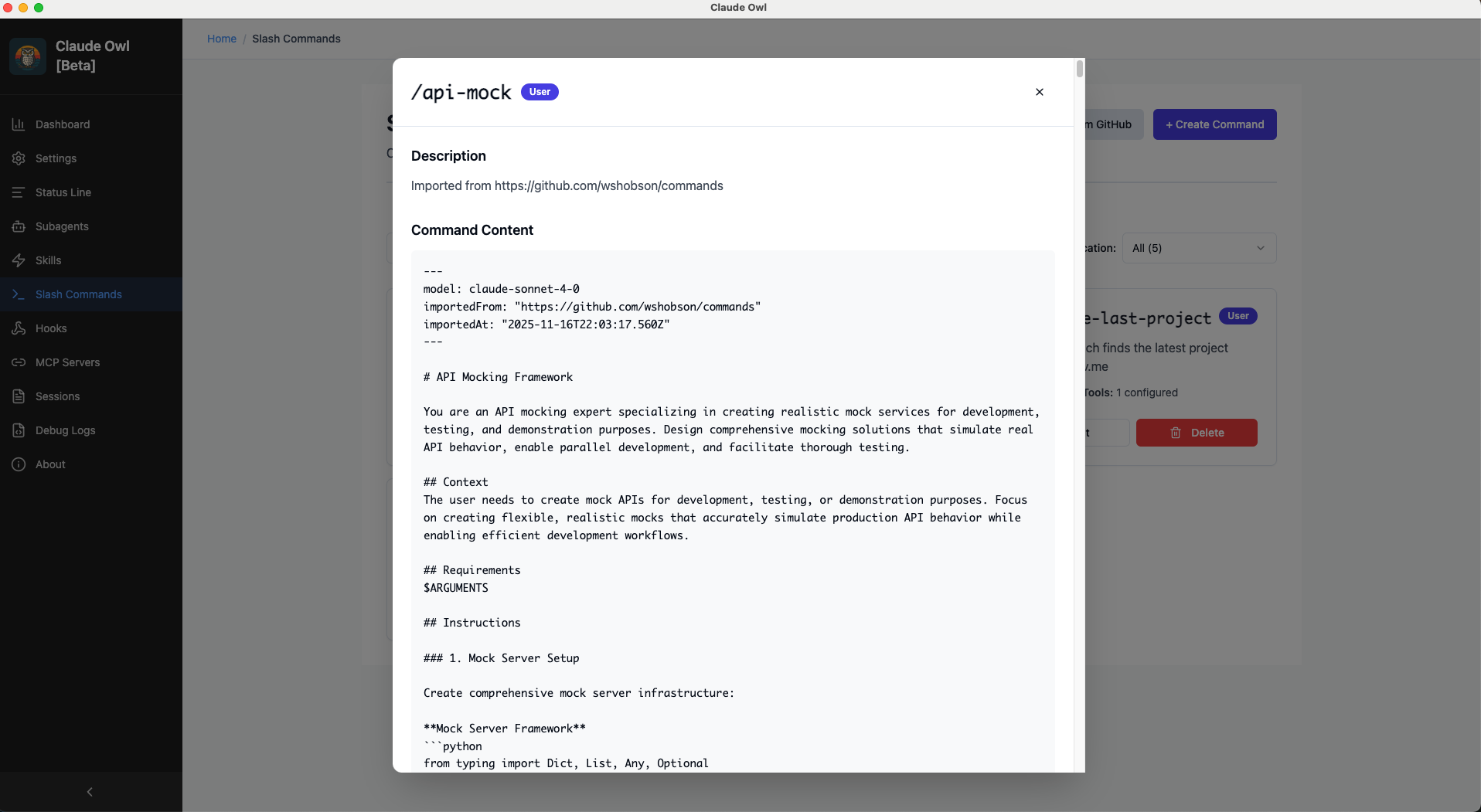
Command Details

Command Details

Full command information with usage examples and imported source tracking.

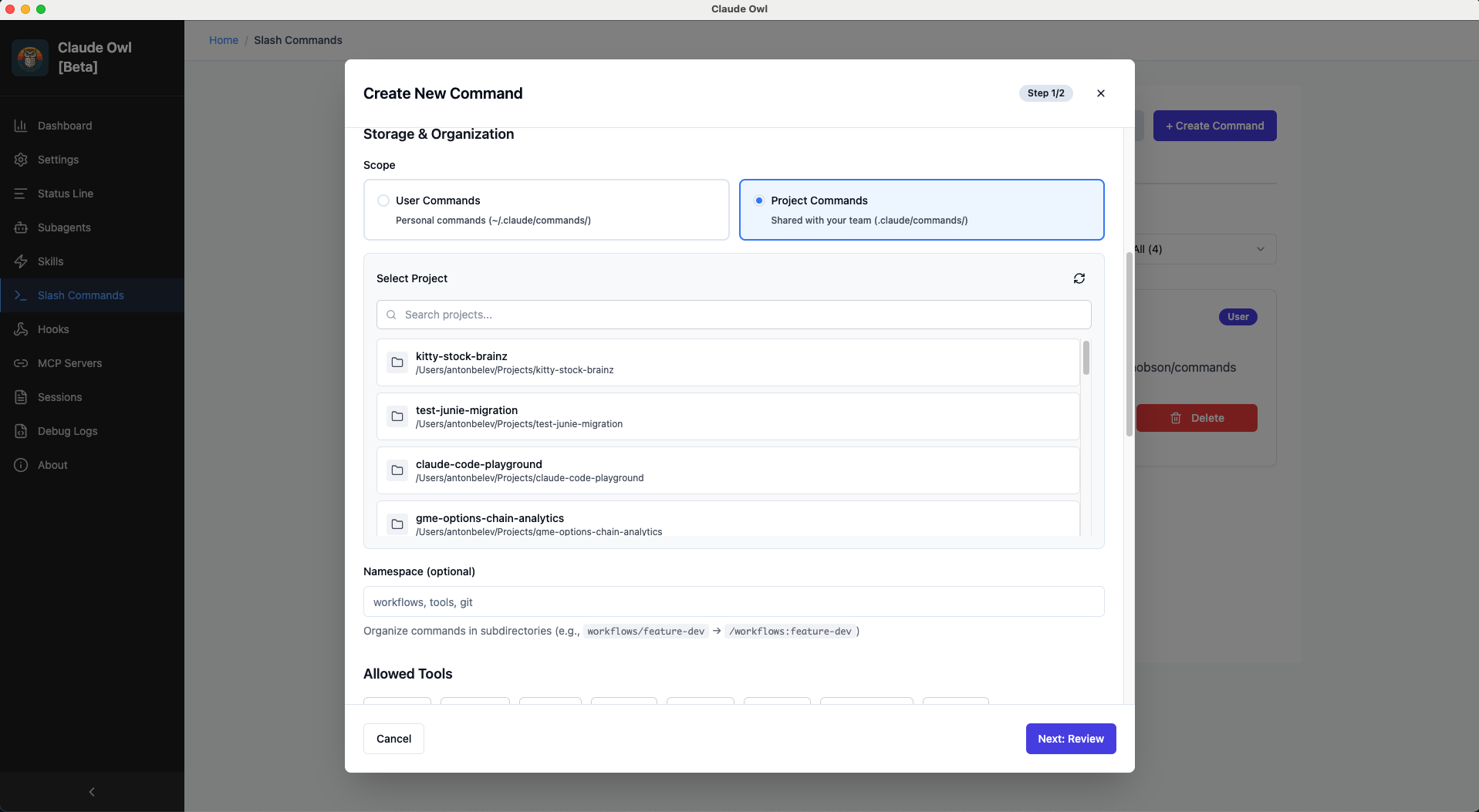
Create Command

Create Command

Multi-step wizard with frontmatter editor, content editor, and security warnings.

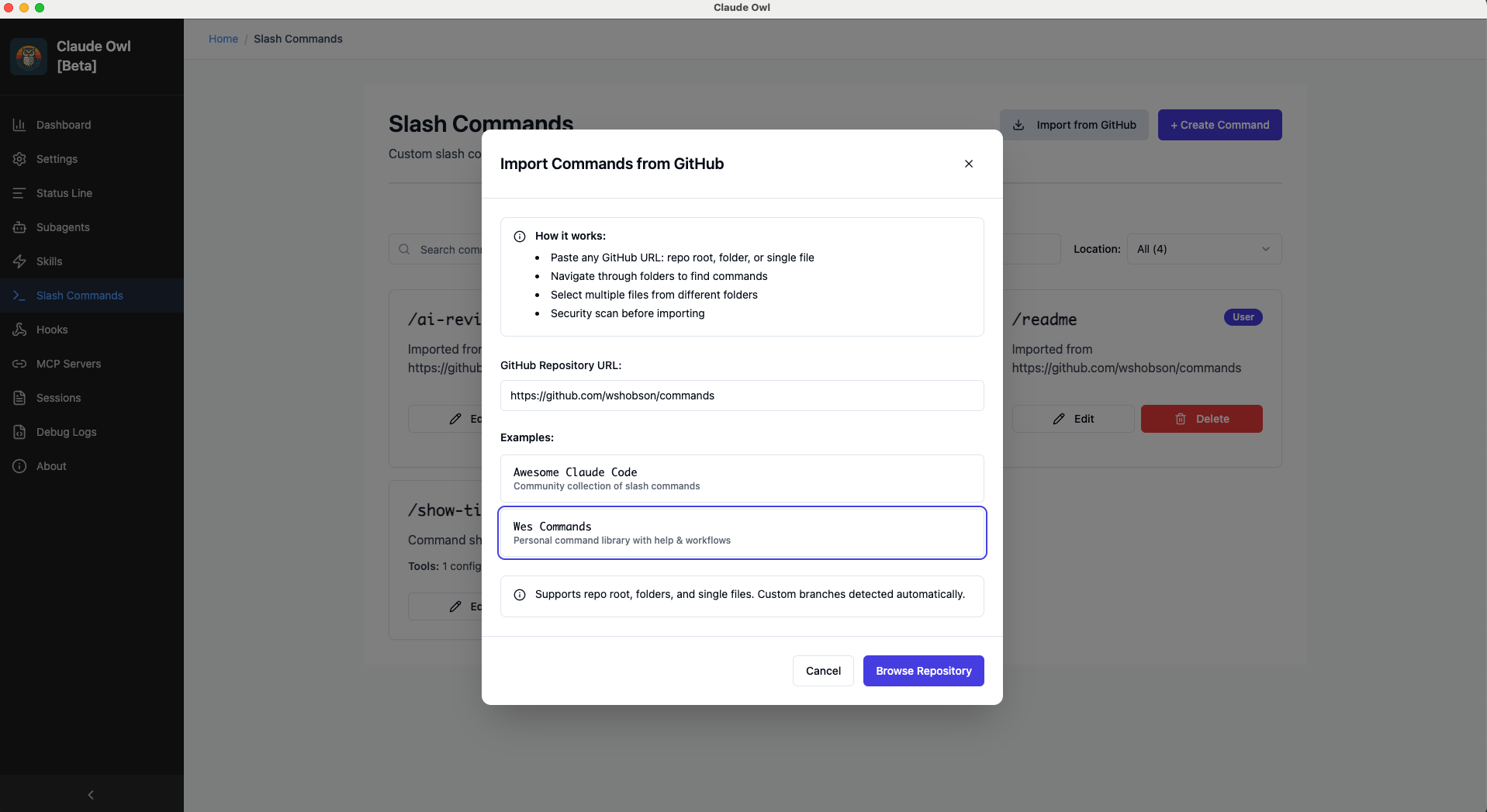
GitHub Integration - Browse Repository

GitHub Import

Browse GitHub repositories with folder navigation, breadcrumbs, and markdown file filtering.

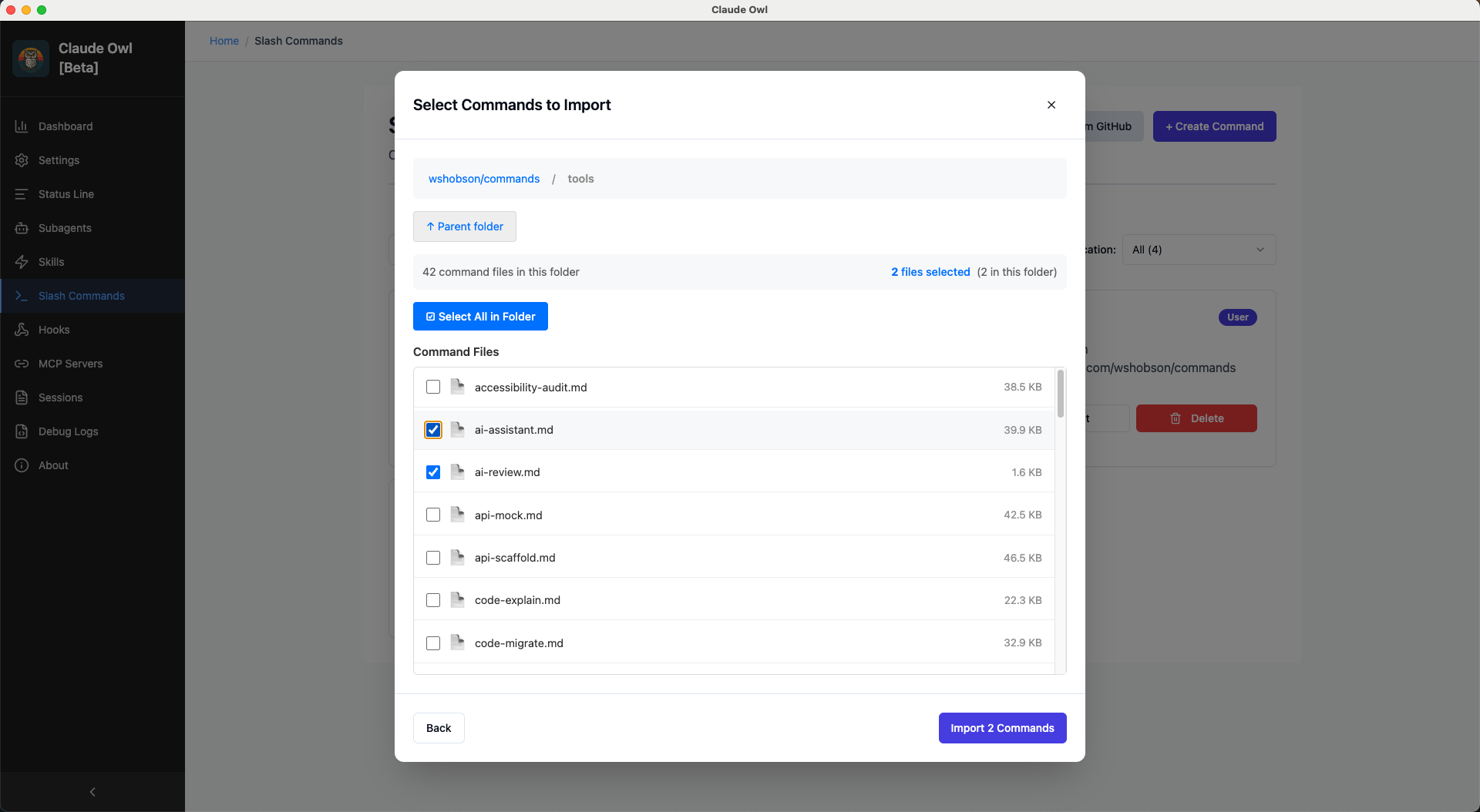
Select Commands to Import

Select Commands

Multi-select capability with batch import and content preview.

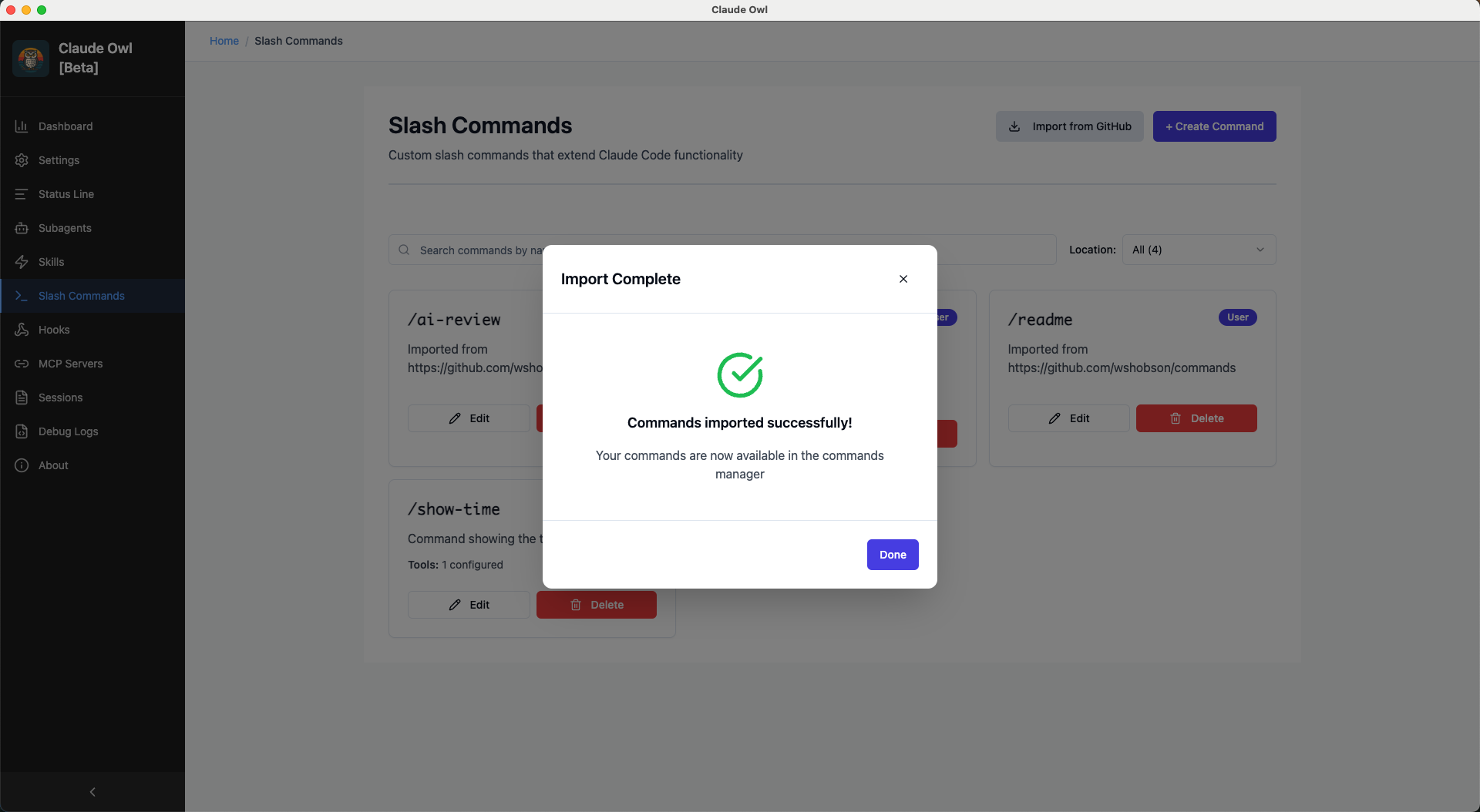
Import Success

Import Success

Confirmation with imported command details and quick links.

🪝 Hooks Viewer

View hook configurations (Phase 1 - Read-Only)

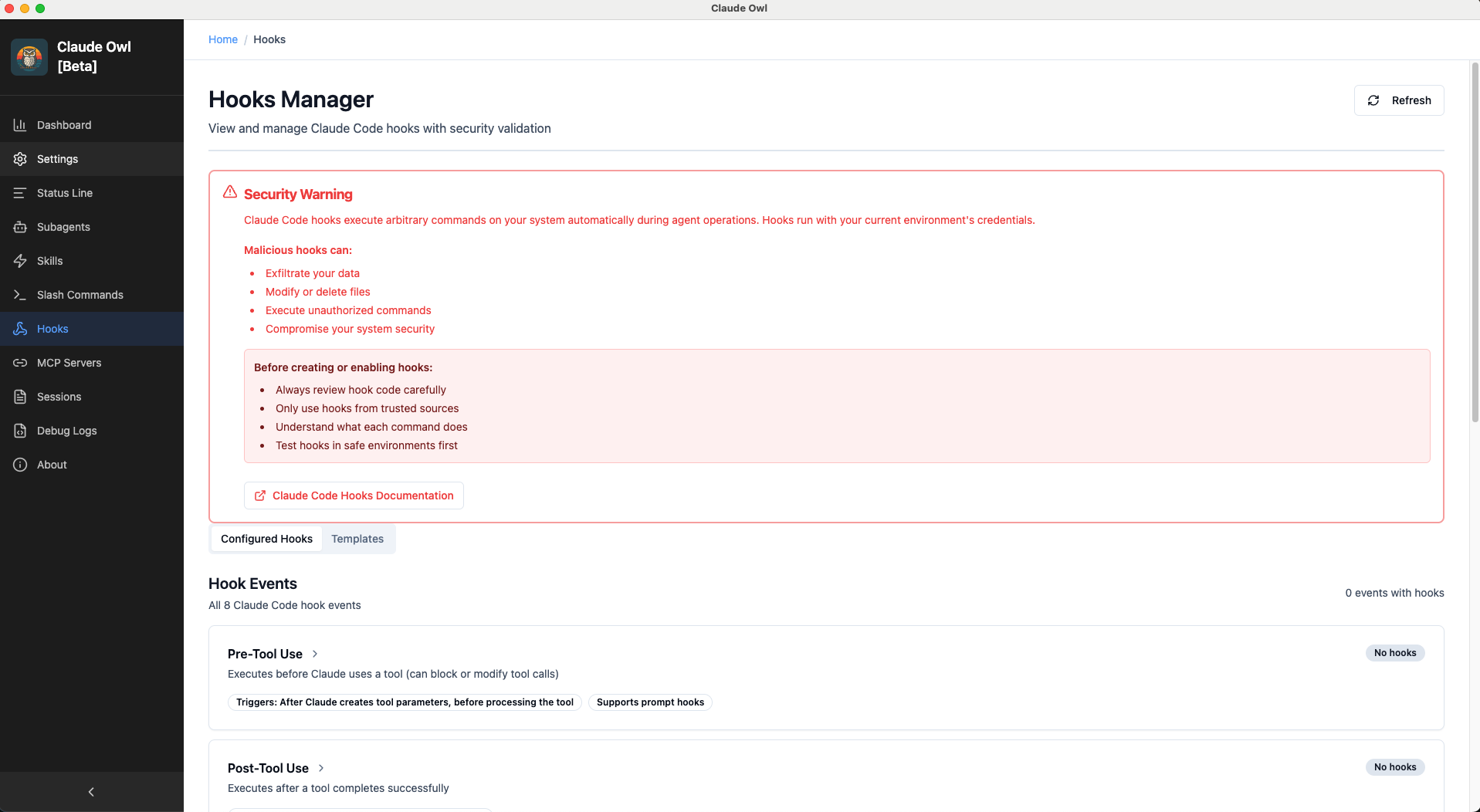
Hooks Manager

Hooks Manager

Support for 8 hook events with validation status, security warnings, and context variables documentation. Template-based editing planned for Phase 2.

🔌 MCP Servers Manager

Configure Model Context Protocol servers

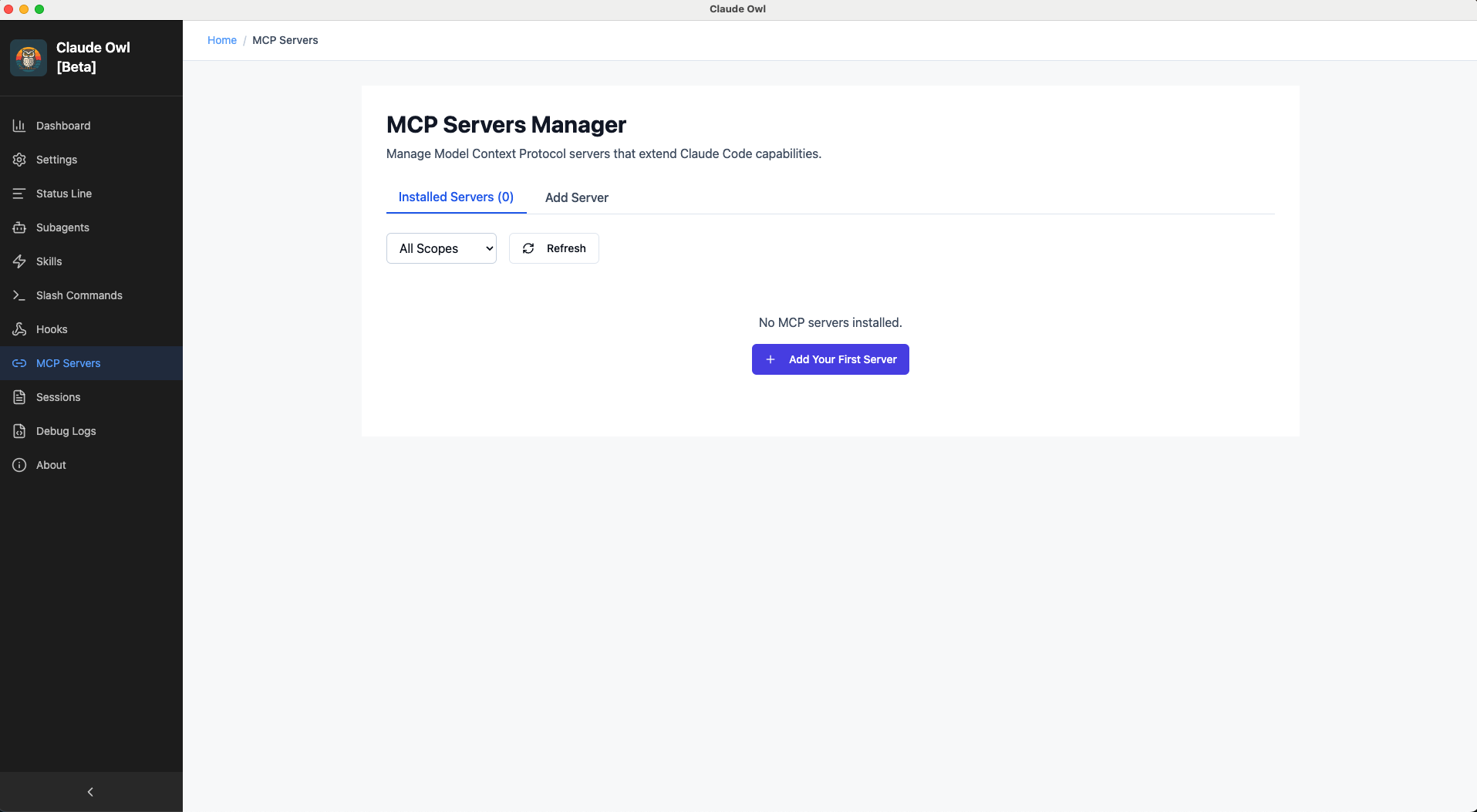
MCP Servers Grid View

MCP Servers

Browse installed servers with scope badges, type indicators, and quick actions.

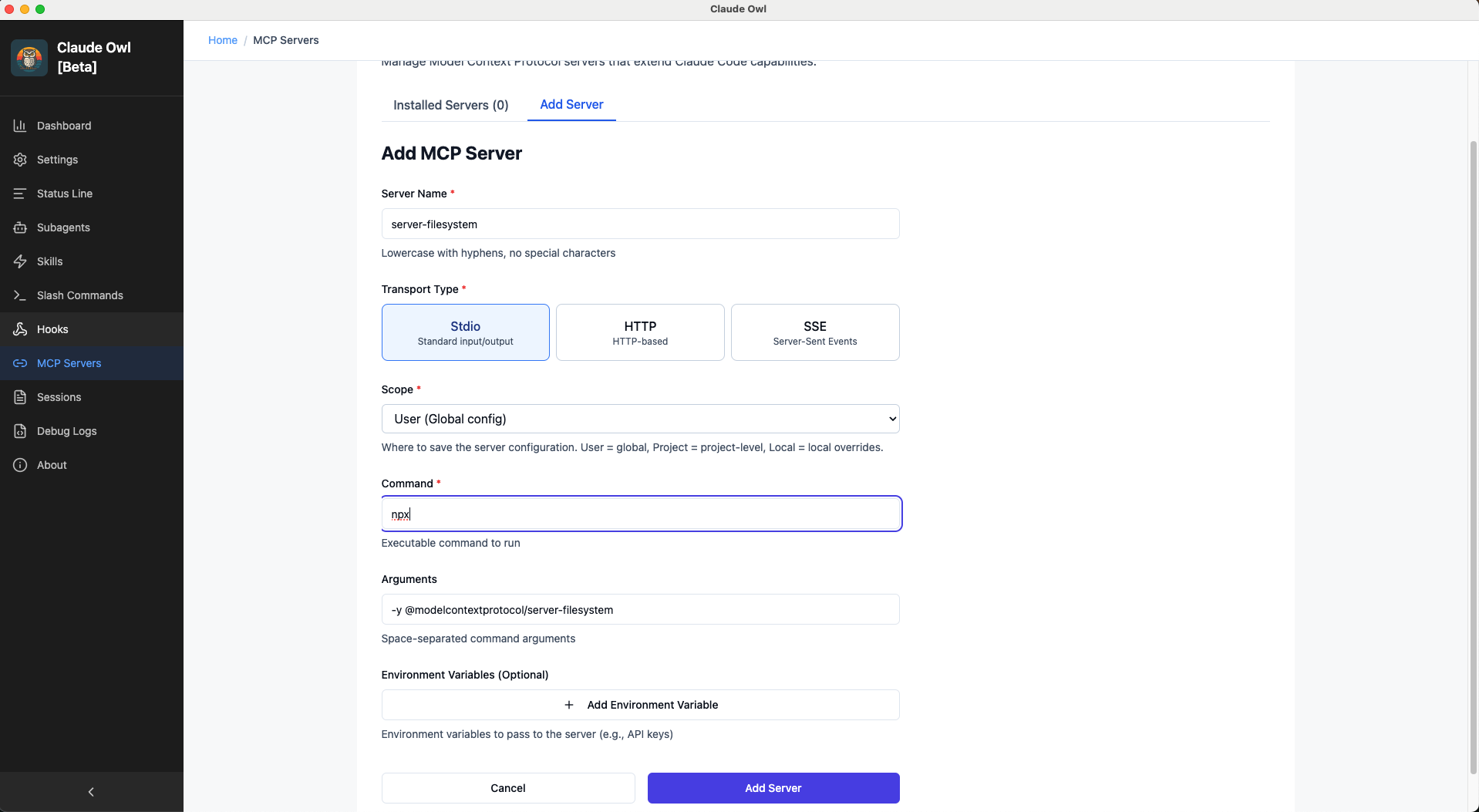
Add MCP Server

Add MCP Server

Configure new server with transport type selection, command/URL configuration, and environment variables.

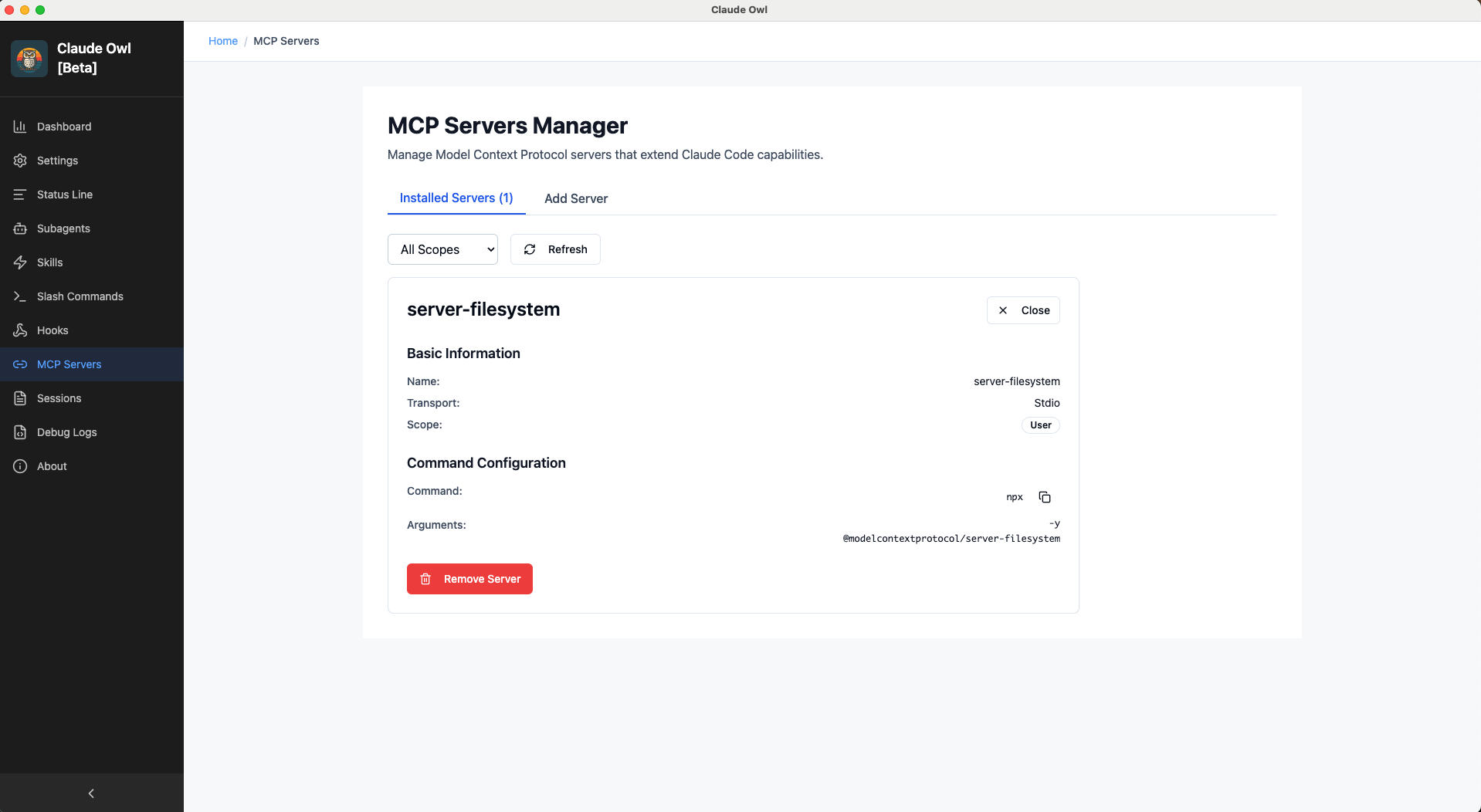
Server Details

Server Details

Full server configuration display with environment variables, command arguments, and edit capability.

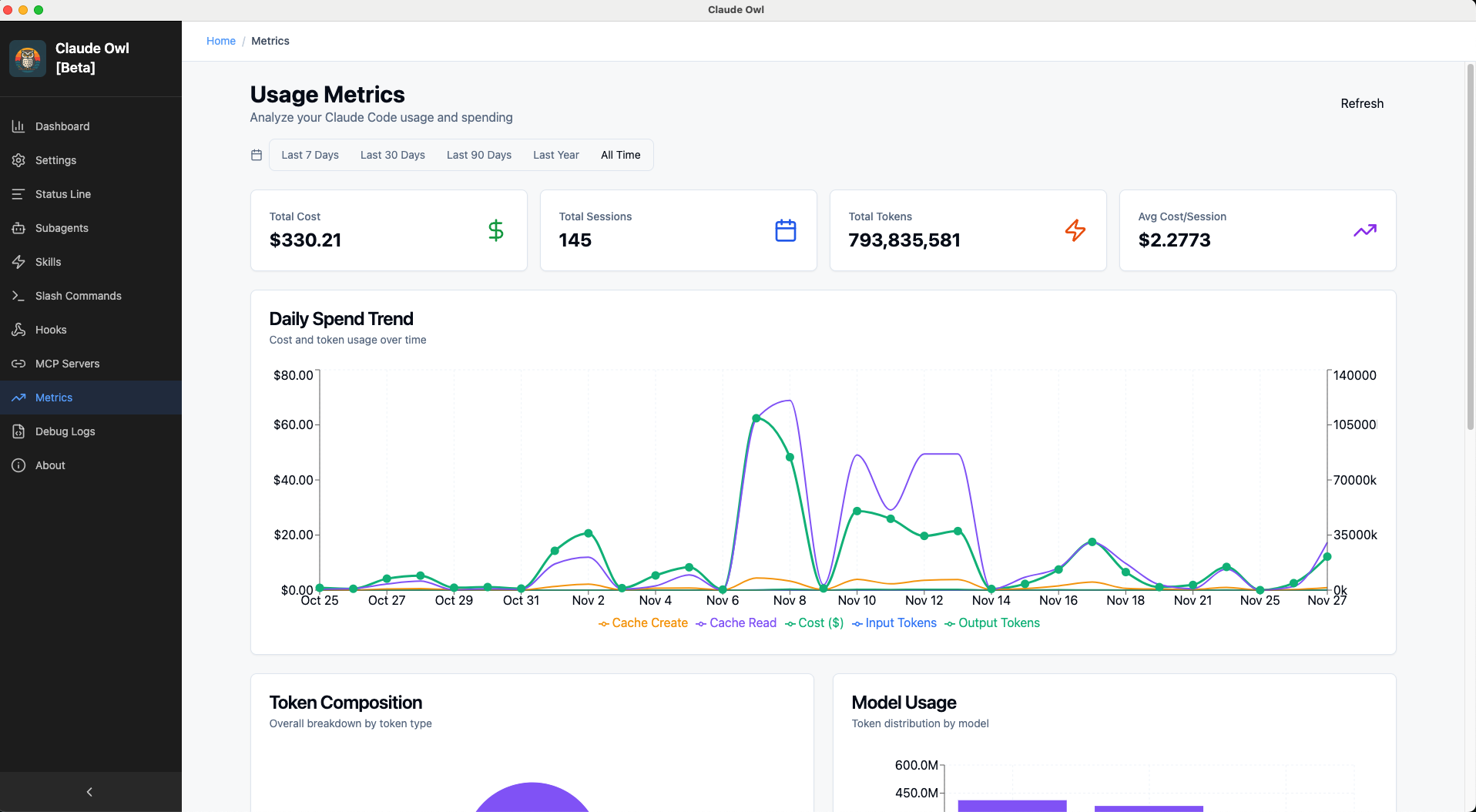
📈 Usage Metrics Dashboard

Analyze Claude Code usage and spending with interactive charts

Usage Metrics Overview

Usage Metrics Dashboard

Comprehensive metrics dashboard featuring four interactive charts:

  • Daily Spend Trend - Dual Y-axis chart showing cost ($) and token usage over time
  • Token Composition - Pie chart breakdown of Input, Output, Cache Create, and Cache Read tokens
  • Model Usage - Stacked bar chart showing token distribution across different Claude models
  • Project Statistics - Table with per-project usage summary and metrics

Timeline filtering allows focusing on specific periods (Last 7/30/90 days, Last Year, or All Time). Summary cards display Total Cost, Total Sessions, Total Tokens, and Average Cost per Session.

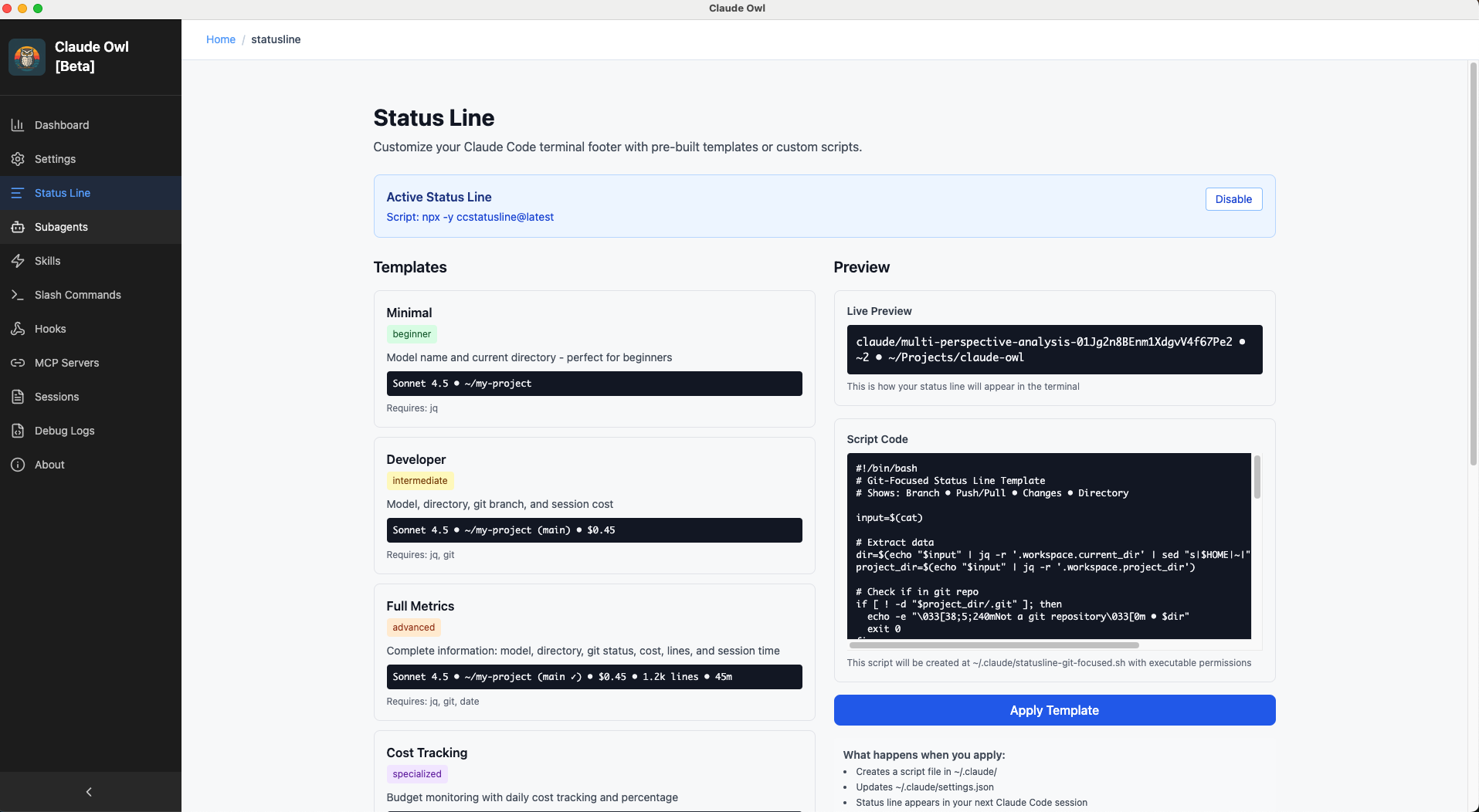
📊 Status Line Manager

Choose from 10+ pre-built status line templates

Templates Gallery

Status Line Templates

Browse templates organized by skill level: Beginner, Intermediate, Advanced, and Specialized categories.

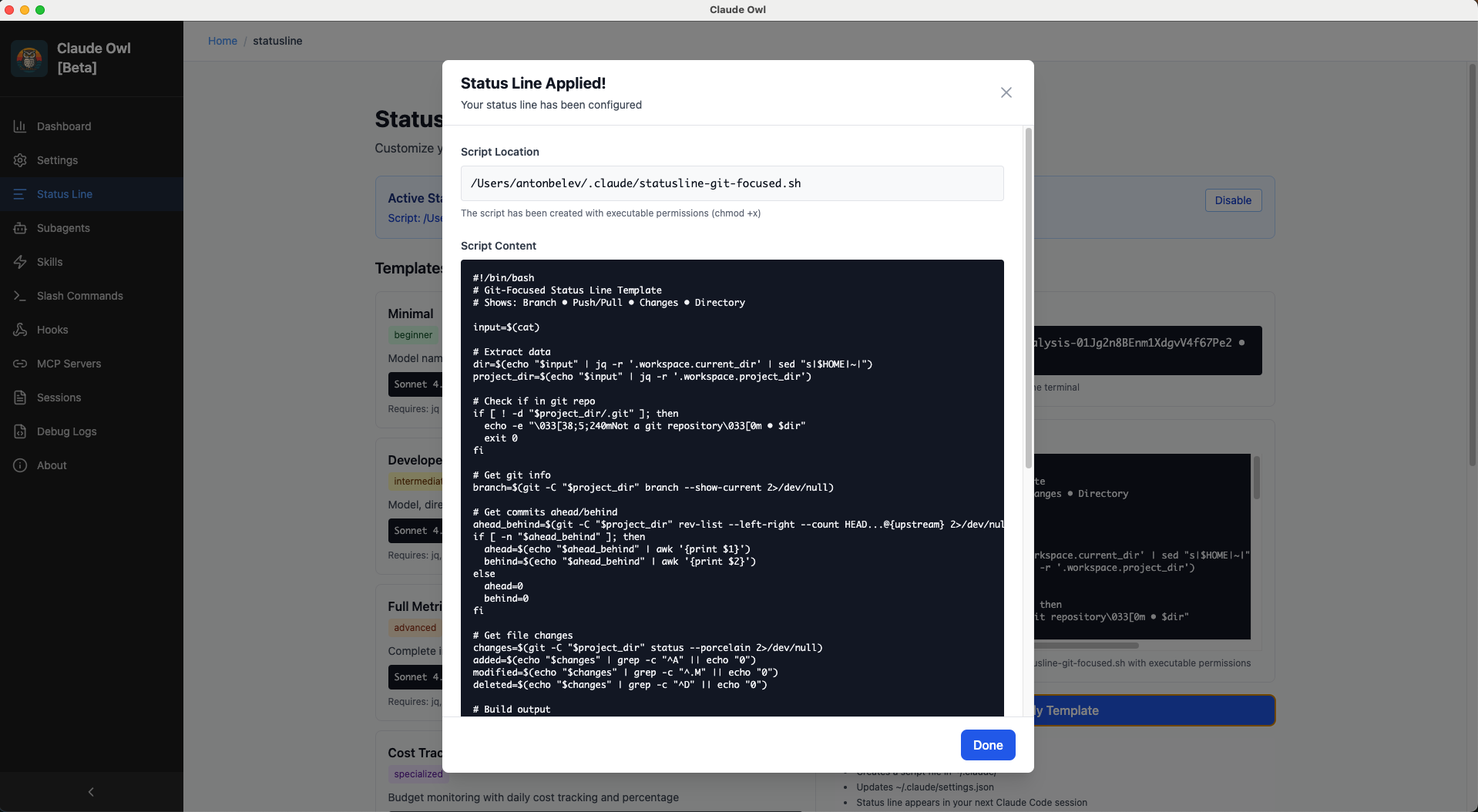
Template Application Review

Apply Template

Live preview with mock session data, script content display, and dependency warnings.

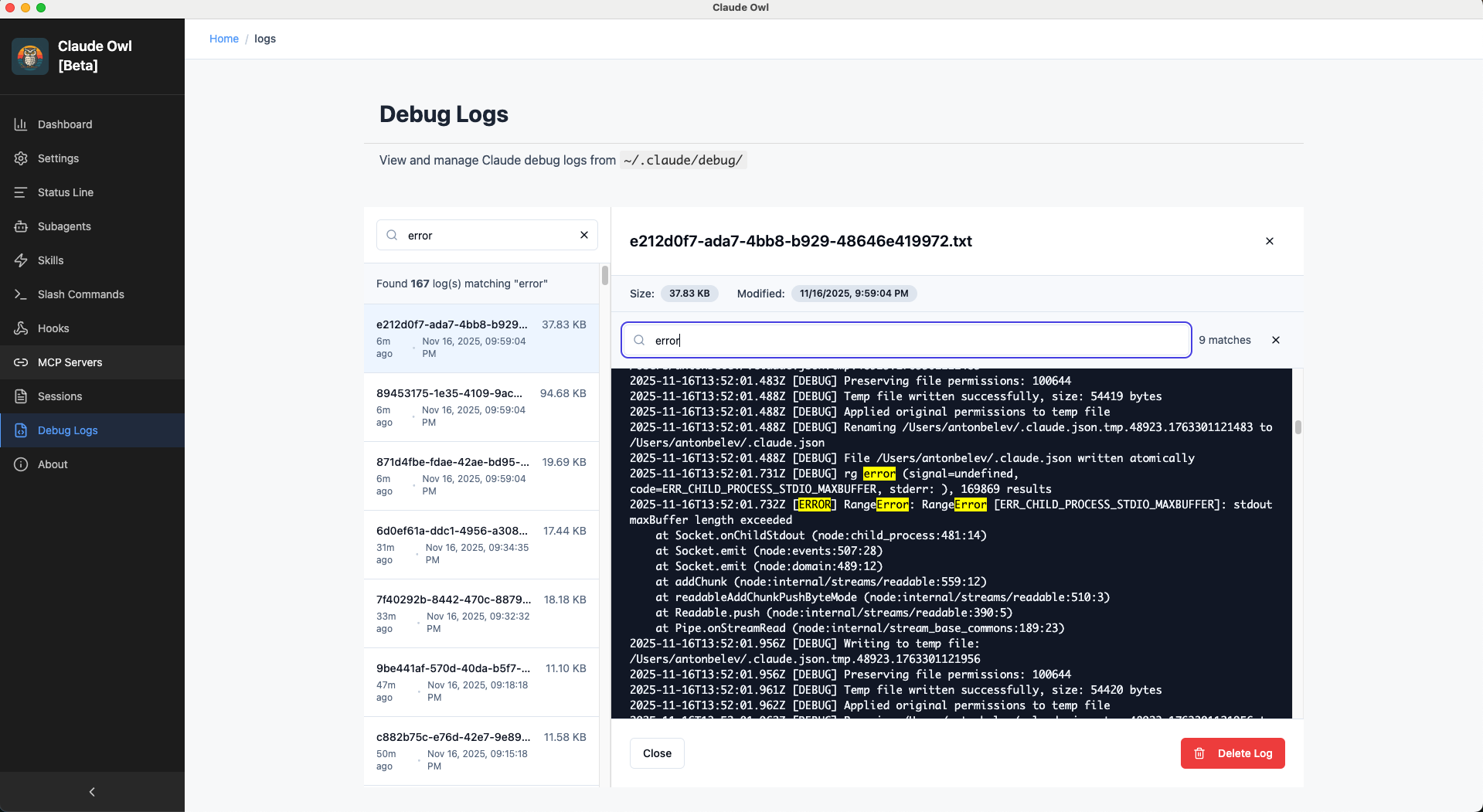
📝 Debug Logs Viewer

Access and search Claude Code debug logs

Debug Logs

Debug Logs

Log file list with timestamps, full content viewer, syntax highlighting, line numbers, and search capabilities.

🧩 Additional Features

📁 Project Discovery

  • • Automatic detection of Claude Code projects
  • • Project selection for project-level settings
  • • Recent projects quick access
  • • Project context maintained across app

🎨 Design Features

  • • Responsive layouts for all screen sizes
  • • Modal dialogs for detailed views
  • • Keyboard navigation (ESC, Tab, Enter)
  • • Hover states and smooth transitions

🔍 Common UI Patterns

  • • Empty states with helpful guidance
  • • Loading states with skeleton loaders
  • • Error handling with retry options
  • • Real-time validation feedback

♿ Accessibility

  • • ESC key support for modal dismissal
  • • Tab navigation throughout
  • • Color-coded information (green/yellow/red)
  • • Descriptive labels and help text

📱 System Requirements

All screenshots showcase features tested on:

  • macOS (Intel & Apple Silicon)
  • Node.js >= 18.0.0
  • Claude Code CLI installed

Windows and Linux support coming in future releases.

Ready to try Claude Owl?

Download now and experience visual configuration management